1. Introduction: Why Must We Learn Hardware Language?
It's 2025, and you've bought a $1000 graphics card, but your games are stuttering. Why? Perhaps you turned on an option called Path Tracing, which brings even the strongest systems to their knees, or maybe you forgot to enable Frame Gen. Understanding technical terminology gives you power. The power to understand which settings actually increase "Visual Quality" and which settings simply devour "System Resources" without making a visible difference. This dictionary is your roadmap in the Settings menu.
2. Chapter 1: Light and Shadow (The Rendering Revolution)
2.1. Rasterization
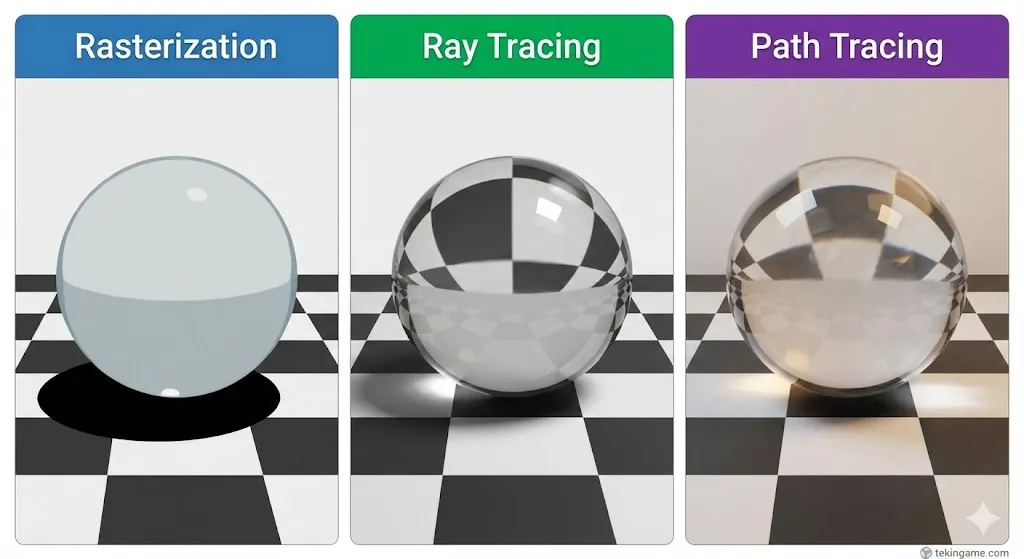
This is the traditional rendering method used for the past 30 years. In this method, the computer converts 3D objects into 2D pixels on your monitor. Shadows and reflections in this method are not "real"; they are tricks developers use (like painting a shadow on the ground). It is very fast but lacks realism.
2.2. Ray Tracing
Ray Tracing attempts to simulate the behavior of light as it exists in the real world. The graphics card shoots rays of light from the camera (your eye) towards objects and calculates how that light reflects.
The Result: Mirrors actually reflect the image (not a blurry texture), and shadows are soft and accurate based on the distance of the light source.
2.3. Path Tracing
If Ray Tracing is a "feature," Path Tracing is the "entire game." In this method (seen in Cyberpunk 2077 Overdrive and Black Myth: Wukong), ALL lighting in the game is calculated via ray tracing. There are no fake shadows. This is the heaviest graphical technique in existence and usually cannot run without an upscaler (DLSS/PSSR).
3. Chapter 2: The Upscaling Wars
3.1. DLSS (Nvidia)
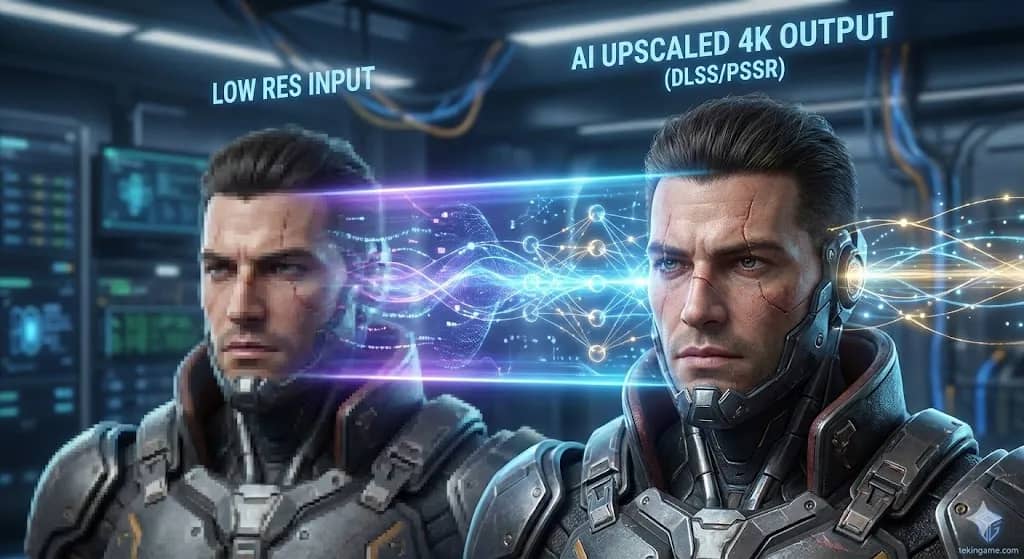
Short for Deep Learning Super Sampling. This technology is exclusive to Nvidia cards (RTX series). The game renders at a lower resolution (e.g., 1080p), then AI cores (Tensor Cores) upscale it to 4K. The result is sometimes sharper than the native image.
3.2. FSR (AMD)
Short for FidelityFX Super Resolution. AMD's open-source technology works on all cards (even consoles and old Nvidias). Unlike DLSS which uses AI, FSR uses mathematical algorithms to sharpen the image. The quality is slightly lower than DLSS, but compatibility is universal.
3.3. PSSR (Sony)
The new star of 2025. PlayStation Spectral Super Resolution is Sony's answer to DLSS, used in the PS5 Pro. This technology uses machine learning to make old games look sharper and run smoother, and is the main reason behind the Pro model's power.
3.4. Frame Generation
This technology doesn't create "pixels"; it creates "frames." The graphics card looks at the previous frame and the next frame, "guesses" a new frame in between, and inserts it. This doubles the frame rate (e.g., from 40 to 80 fps) but adds a slight amount of input latency.
4. Chapter 3: Game Engines & Geometry
4.1. Nanite
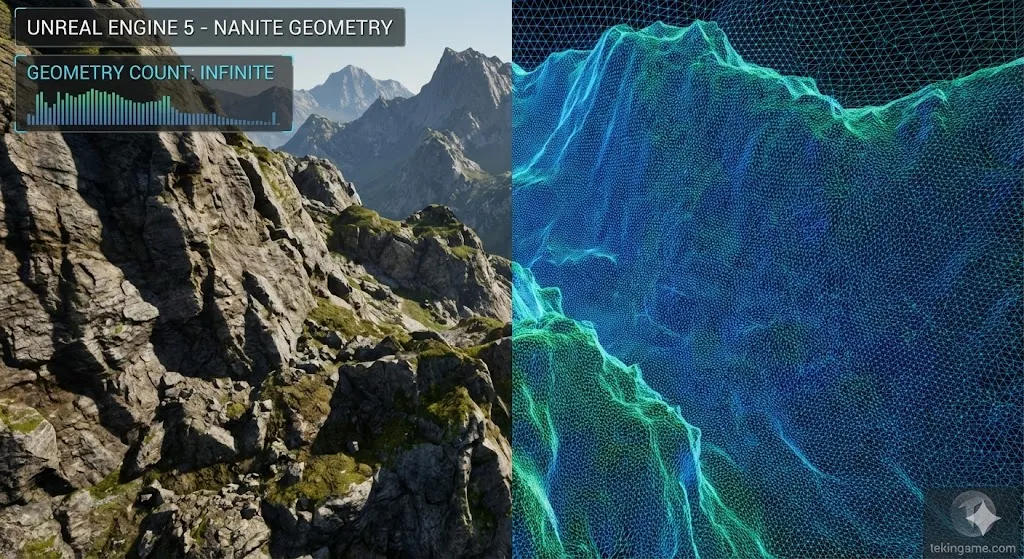
A revolutionary technology in Unreal Engine 5. In the past, creators had to make low-quality models (LODs) for distant objects to keep the game running fast. Nanite removed this limit. Now, the game can process billions of polygons simultaneously. The result? Rocks and walls don't get blurry even if you press your face against them; they have full geometric detail.
4.2. Lumen
The Global Illumination system in Unreal Engine 5. Lumen allows light to "Bounce." For example, if sunlight hits a red carpet, the red color of the carpet reflects onto the white walls of the room. This happens in Real-time, eliminating the need for "Light Baking."
5. Chapter 4: Display Terms
5.1. VRR (Variable Refresh Rate)
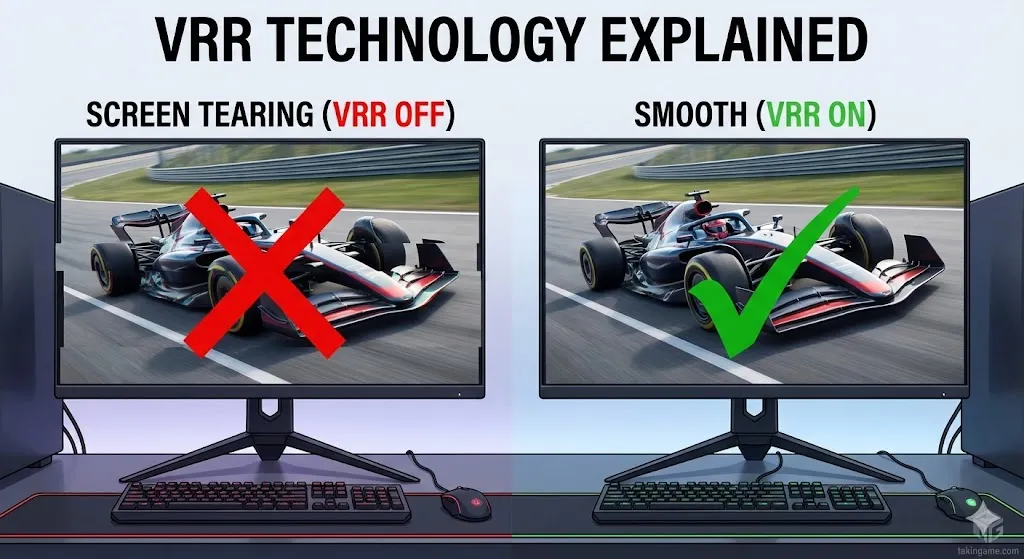
If the console's frame production speed (e.g., 50 fps) doesn't match the monitor's refresh speed (e.g., 60Hz), the image "tears" (Screen Tearing). VRR technology (which includes G-Sync and FreeSync) synchronizes the monitor's speed exactly with the console to provide a smooth, tear-free image.
5.2. Response Time (GtG vs. MPRT)
This is the number that tells you how long it takes for a pixel to change color.
GtG (Gray to Gray): The standard measure of pixel color change speed.
MPRT (Moving Picture Response Time): A measure of motion blur.
Don't fall for the "1ms" marketing hype; most IPS monitors are realistically 3 to 5ms. Only OLEDs are truly under 1ms (0.03ms).
6. Chapter 5: Advanced Hardware
6.1. Bottleneck
A scary but simple term. When one component of your system (e.g., CPU) is weaker than another (e.g., GPU), the stronger component waits around doing nothing. It's like putting a Ferrari engine in a bicycle. In 2025, for 40 and 50-series cards, having Intel 13th/14th Gen or Ryzen 7000/9000 CPUs is mandatory to avoid bottlenecks.
6.2. TDP vs. TGP
These numbers indicate "Power Consumption" and "Heat."
TDP (Thermal Design Power): The heat the cooling system must dissipate.
TGP (Total Graphics Power): The total power the card draws. Knowing this number is vital for buying the right Power Supply Unit (PSU).
7. Tekin Plus Verdict: The Final Checklist
Now that you speak the language of 2025, next time you enter game settings, do this:
1. If you have an Nvidia card, turn on DLSS Quality (best balance).
2. If your system is ultra-powerful, turn on Ray Tracing, but keep Path Tracing only for testing/showcase.
3. If you have a gaming monitor, absolutely enable G-Sync/FreeSync from the control panel.
Technical knowledge is the best upgrade you can give your system; and fortunately, it's free.