
1. Why Legacy OCR is Dead (The Mistral Revolution)
You might be asking: "Why can't I just use Google Lens or a standard PDF scanner?"
The answer lies in one critical concept: Structure Awareness.
Legacy OCR (Optical Character Recognition) tools were designed to recognize letters, not logic. They would:
- ❌ Turn complex tables into a jumbled mess of text.
- ❌ Interpret mathematical formulas ($E=mc^2$) as meaningless gibberish.
- ❌ Fail to distinguish between a "Main Header," a "Sidebar," and a "Caption."
Enter Mistral OCR 3
The new multimodal model from Mistral AI has disrupted this space. It doesn't just "read" pixels; it "understands" the document layout. When it sees a medical prescription or a dual-column scientific paper, it grasps the spatial relationship between elements.
In recent benchmarks, Mistral OCR has outperformed competitors by 74% on complex document understanding. And the best part? For now, accessing it via their 'Le Chat' platform is accessible and incredibly fast.
2. Phase 1: Extracting Truth with Mistral OCR 3
Let’s get our hands dirty. Assume you have a photo of a messy whiteboard from a strategy meeting, or a handwritten page of notes.
Step 1: Accessing 'Le Chat'
Navigate to the official Mistral chat platform at chat.mistral.ai. Sign in (using your Google or GitHub account is fastest).
Step 2: Model Selection
In the model selector dropdown, ensure you are using Mistral Large or the latest Multimodal/Vision variant. This is crucial because standard LLMs cannot "see" images.
Step 3: The Golden Prompt
Upload your image. Now, you need to give specific instructions. Since our goal is to feed this into Google NotebookLM later, we need clean, structured data.
Copy and paste this prompt for best results:
"Analyze this image using your OCR capabilities. Transcribe all text exactly as it appears.
1. If there are tables, format them strictly as Markdown tables.
2. If there are mathematical equations, render them in LaTeX format.
3. Preserve the hierarchy (Headers, Sub-headers, Bullet points).
4. Do not summarize; I need the raw, full transcription."
Hit send. Within seconds, Mistral will output a perfectly formatted text block. It effectively "digitizes" the chaos of handwriting into clean Markdown.
3. Phase 2: The Bridge (Formatting & Translation)
Before we move to the audio generation, there is a nuance you must address, especially for our international readers.
However, it can read almost any language.
Scenario A: You want to learn English.
Feed your Persian or Arabic notes directly to Google. The AI hosts will read your native notes and discuss them in fluent English. This is an incredible tool for language immersion.
Scenario B: You want the most accurate content.
Ask Mistral to perform an intermediate step:
Prompt: "Great. Now translate this transcription into fluent, engaging English, suitable for a podcast script. Expand slightly on the bullet points for clarity."
Copy the final English text. You are now ready for the studio.
4. Phase 3: The Studio Session (Google NotebookLM)
Now, we enter the recording booth. Google NotebookLM isn't just a note-taking app; it's a "Grounding AI" that uses your specific data to create content.
Step 1: Create a Notebook
Go to notebooklm.google.com and click on the huge "New Notebook" box.
Step 2: Add Your Source
On the left sidebar, click the "Plus" (+) icon to add a source.
Select "Copied Text" (or Paste Text). Paste the clean data you got from Mistral in Phase 2.
(Note: You can also upload PDF files or paste website URLs if you want to mix sources).
Step 3: Generate the 'Deep Dive'
Once the source is loaded (it takes about 10 seconds), look at the "Audio Overview" section on the right side of the dashboard.
Click the Generate button.
Now, wait. It usually takes 2 to 4 minutes. In the background, Google's Gemini Pro model is analyzing the text, creating a script between two AI personas (a host and a co-host), and synthesizing the voice.
Step 4: The Result
Press Play. You won't hear a robotic "Text-to-Speech" voice. You will hear banter, laughter, rhetorical questions, and "aha!" moments.
Example: If your notes were about "Black Holes," the host might say: "So, wait, you're telling me light simply can't escape? That's terrifying!" and the expert will reply: "Exactly! It's like a cosmic trapdoor."
5. TekinGame Pro Tips: Advanced Prompting & Mixing
At TekinGame, we don't settle for "basic." Here is how to push this tool to the limit:
The "Customize" Feature
Recently, Google added a "Customize" button next to the Audio generator. Use this to direct the AI hosts.
Try these instructions:
- For Students: "Focus on the definitions and key dates. Treat this as an exam prep session. Quiz the listener."
- For Entertainment: "Make it funny and sarcastic. Explain this topic as if you are explaining it to a 5-year-old."
- For Business: "Keep it professional, concise, and focus on the ROI (Return on Investment) mentioned in the notes."
The "Mix" Technique
Don't limit yourself to one image. Upload your handwritten notes + a PDF of the textbook chapter + a Wikipedia link to the same topic.
NotebookLM will synthesize all three sources into one cohesive podcast. It fills the gaps in your handwriting with facts from the textbook!
6. Monetization: How to Make Money with This Workflow
This isn't just a study hack; it's a business model waiting to be exploited.
- "Faceless" YouTube Channels: Take trending tech news (like our Tekin Morning articles), convert them into an audio conversation, overlay a cool visualizer or stock footage, and upload. You have a tech podcast with zero recording equipment.
- Audio Summaries for Executives: Offer a service to busy CEOs. Take their messy meeting notes and turn them into a 5-minute "Executive Briefing" audio file they can listen to on their drive home.
- Educational Content: Create "Audio Study Guides" for complex university subjects and sell them on platforms like Gumroad.
7. Final Verdict: The Era of "Liquid Information"
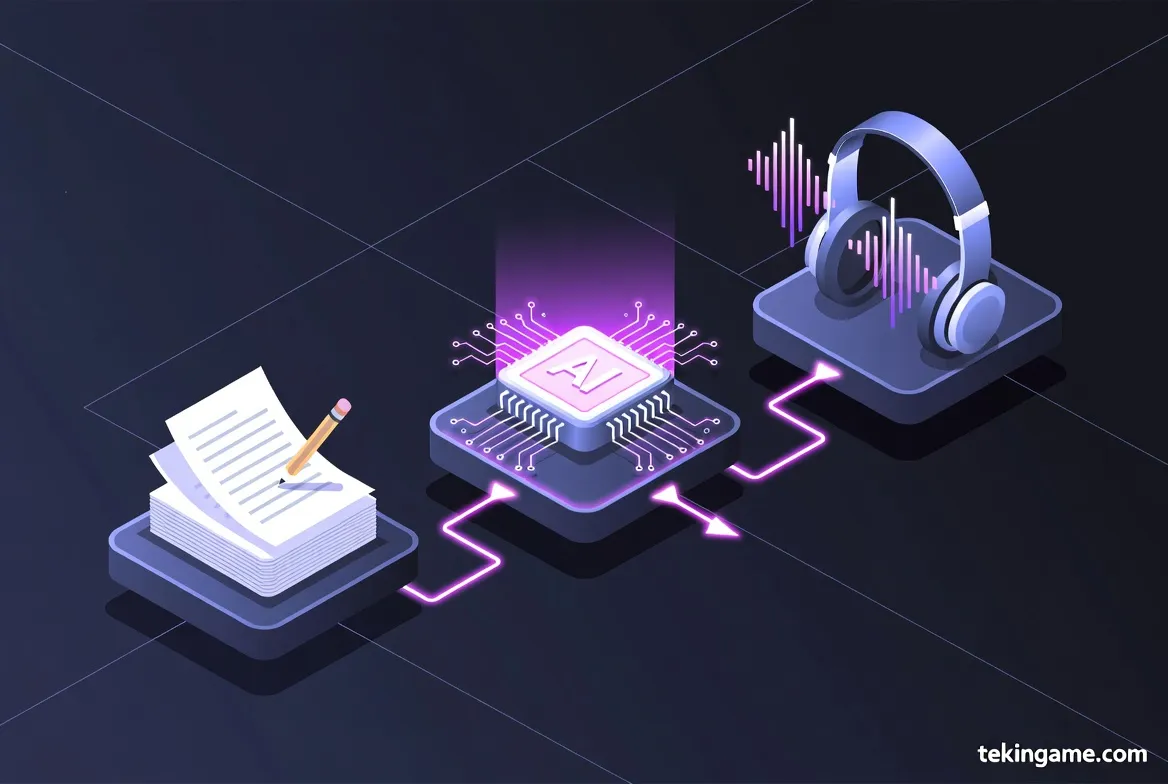
We have moved past the era where information was stuck on paper. With the combination of Computer Vision (Mistral) and Audio Generation (Google), information is now liquid. It flows from ink to text, and from text to sound.
The tools are free (for now). The potential is limitless.
Your homework for today? Take a picture of the nearest document, run it through this workflow, and listen to your first AI-produced episode.
Welcome to the future of content creation.