
1. 💀 The Obituary: Why IPS and VA Panels Are Obsolete
For the better part of a decade, IPS (In-Plane Switching) was the hero of PC gaming. It offered great colors and decent viewing angles. VA (Vertical Alignment) panels offered better contrast but suffered from terrible "black smearing" in dark scenes.
But in 2026, with the arrival of Gen 4 OLED panels, these technologies belong in a museum (or an office cubicle).
The Problem is the Backlight
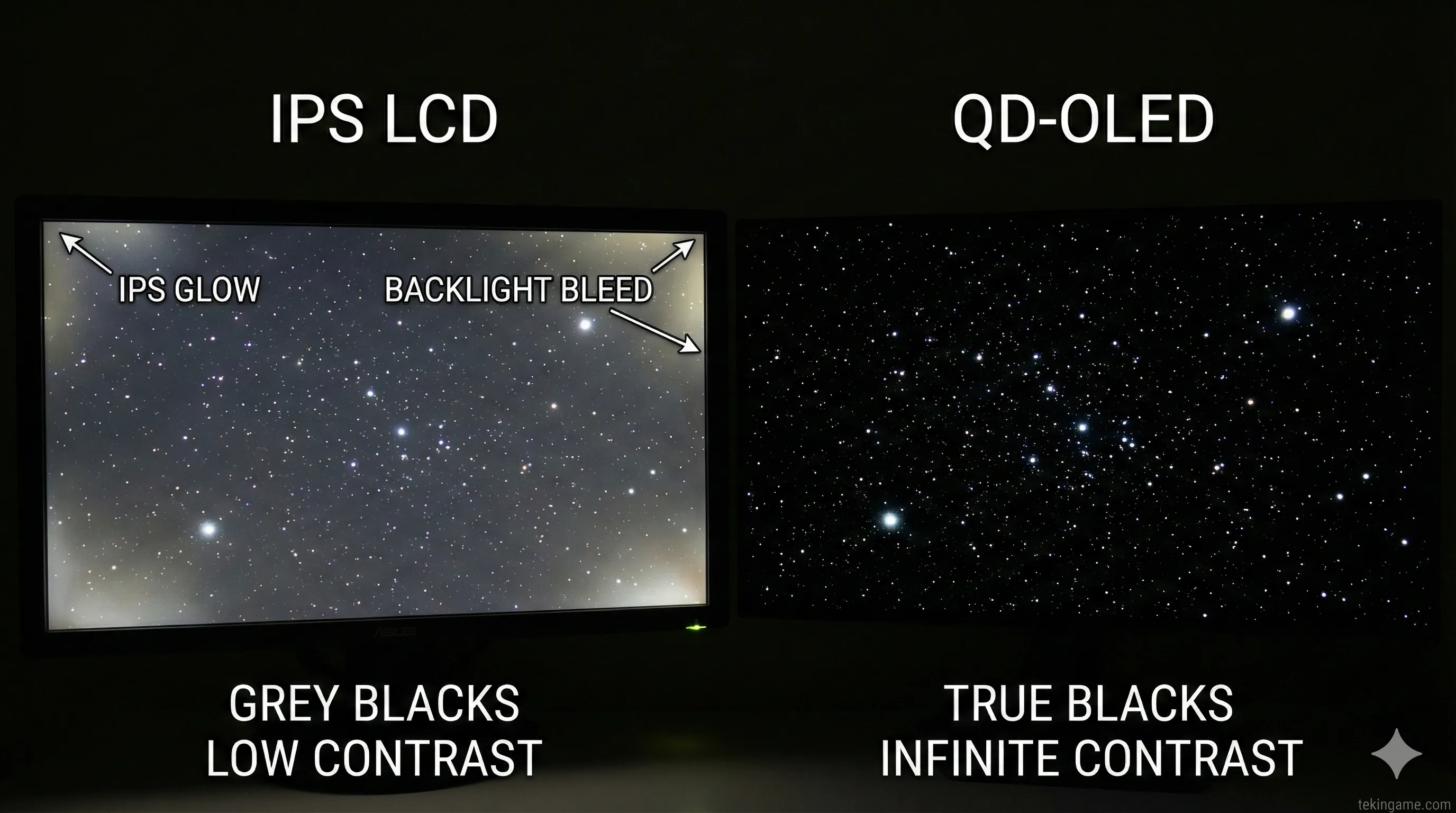
No matter how advanced an IPS monitor is—even the expensive Mini-LED models—it relies on a backlight. To show a bright star in a dark sky, it has to turn on a zone of light behind that star. This creates "Blooming" (a halo effect). The black sky looks dark grey.
In OLED, every single pixel is its own light source. To show black, the pixel simply turns off.
This isn't just about "darker darks." It creates Infinite Contrast. It gives the image a 3D-like depth (pop) that no LCD/IPS monitor can physically achieve. When you play Alan Wake 2 or Resident Evil on an OLED, you aren't looking at a screen; you are looking through a window into the dark.
2. 🌈 The Tech Deep Dive: What is Gen 4 QD-OLED?
You might ask: "Inspector, I know OLED, but what is the 'QD' part?" This is the magic sauce developed by Samsung Display, which has now been adopted by Sony, Dell, MSI, and Gigabyte.
- Traditional OLED (WOLED): Uses a white sub-pixel to boost brightness. This works, but it can "wash out" colors at high brightness levels.
- QD-OLED (Quantum Dot): Uses a pure blue OLED light source that passes through a layer of Quantum Dots. These dots convert the blue light into pure Red and Green.
The 2026 Advantage: Early QD-OLEDs (2022-2023) struggled with text clarity and ambient light. The new Gen 4 Panels available this year have solved this. They are brighter (hitting 1300 nits peak), have a new pixel structure for crisp text, and use new anti-reflective coatings. They offer the widest Color Gamut (coverage of the color spectrum) ever seen in consumer electronics.
3. 🎮 The GTA VI Factor: Why You Need 0.03ms Response Time
Let's talk about the game that everyone is building their setup for: Grand Theft Auto VI. We know it takes place in Vice City. We know it features neon-soaked nights, rain-slicked streets, and high-speed driving.
Motion Clarity is King
The spec sheet on your old gaming monitor might say "1ms Response Time," but that is marketing fluff. In reality, it's likely 3ms to 5ms.
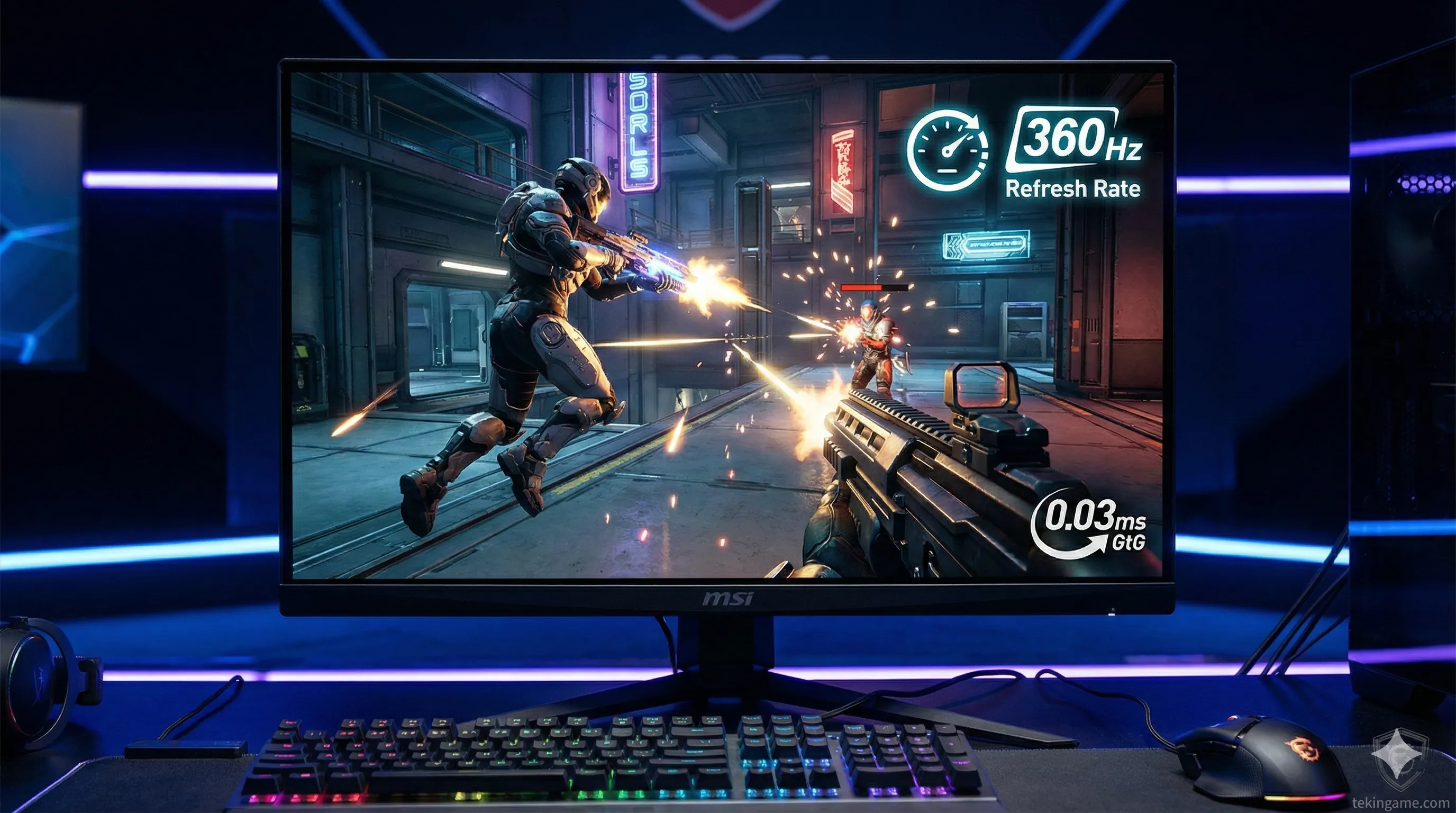
OLED monitors have a physical pixel response time of 0.03ms. That is instant.
Why does this matter? Motion Blur.
When you spin the camera quickly in a game on an IPS screen, the background blurs slightly. On a QD-OLED, every frame is crystal clear. Even running a game at 60FPS on an OLED feels smoother than 100FPS on an LCD because there is zero ghosting. For a fast-paced game like GTA, this clarity is a competitive advantage.
4. 🔥 The Burn-In Investigation: Is It Still a Threat?
The biggest psychological barrier to buying OLED is "Burn-in" (permanent image retention). In 2026, Inspector Gemini declares this case: MOSTLY CLOSED.
The Technology of Protection
Manufacturers have implemented aggressive countermeasures in the 2026 lineup:
- Graphene Heatsinks: Heat is the enemy of organic pixels. New monitors from MSI and ASUS place a graphene film behind the panel to dissipate heat instantly, keeping the pixels cool even during HDR brightness peaks.
- AI Pixel Shift: The monitor imperceptibly moves the entire image by a few pixels every few minutes to prevent static elements (like health bars) from burning in.
- Logo Detection: The monitor detects static logos (like a TV channel or HUD) and slightly dims just that specific area.
The Warranty Safety Net: Almost every major brand (Dell Alienware, Corsair, MSI) now offers a standard 3-Year Burn-In Warranty. If it burns in, they replace it. This proves their confidence in the Gen 4 longevity.
5. 🏆 The Champions: Top Picks for 2026
Ready to upgrade? Here are the Inspector's top recommendations based on current 2026 pricing and performance.
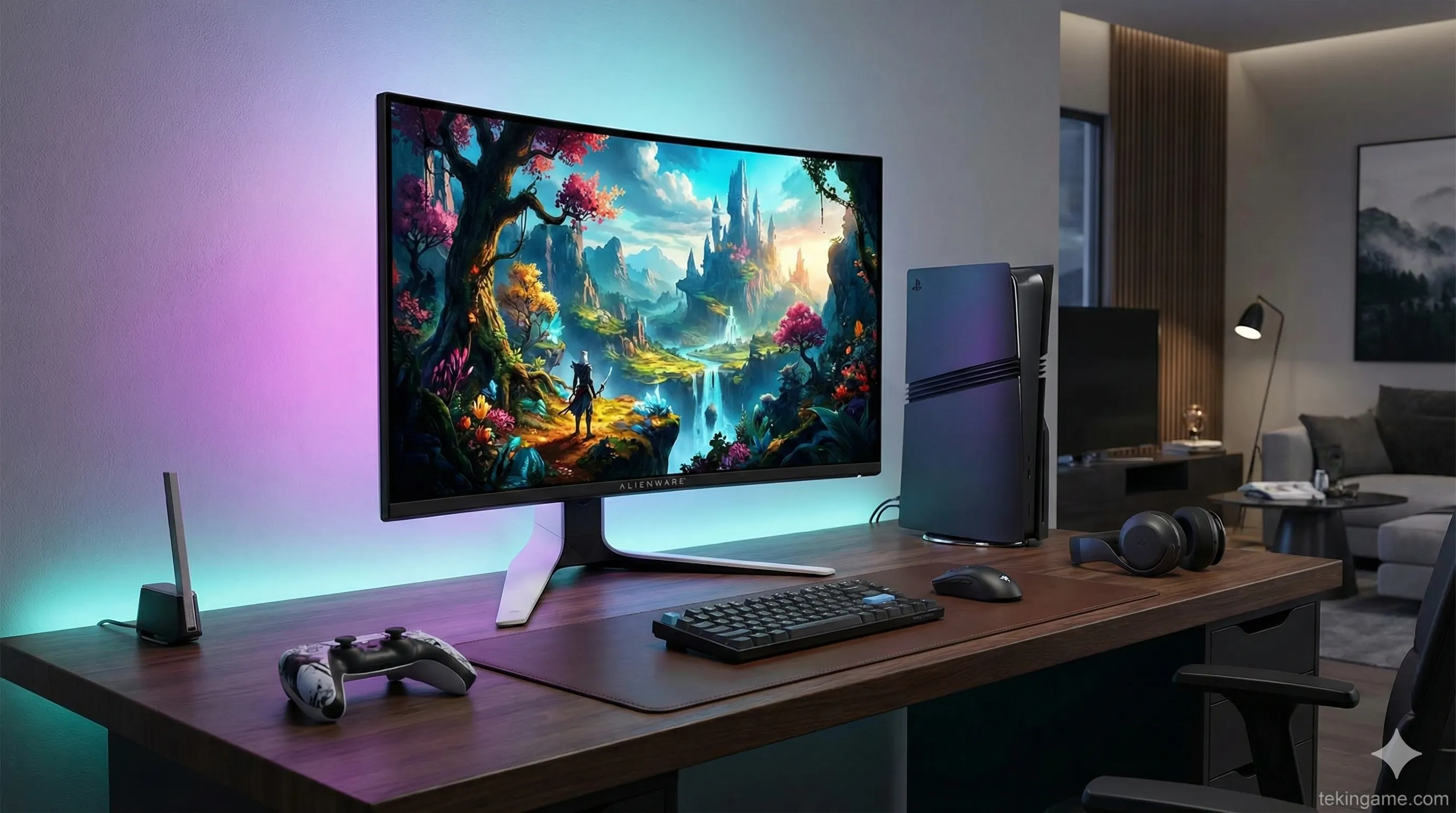
👑 The 4K King: Alienware AW3226QF
- Specs: 32-inch, 4K UHD, 240Hz, Curved QD-OLED.
- Why it wins: Dell continues to dominate. This model supports Dolby Vision (rare in monitors) and has a stunning design. It is the perfect companion for the PS5 Pro, utilizing the full HDMI 2.1 bandwidth. The subtle curve draws you in without distorting lines.
- Best For: Console gamers and high-end PC users wanting the sharpest image.
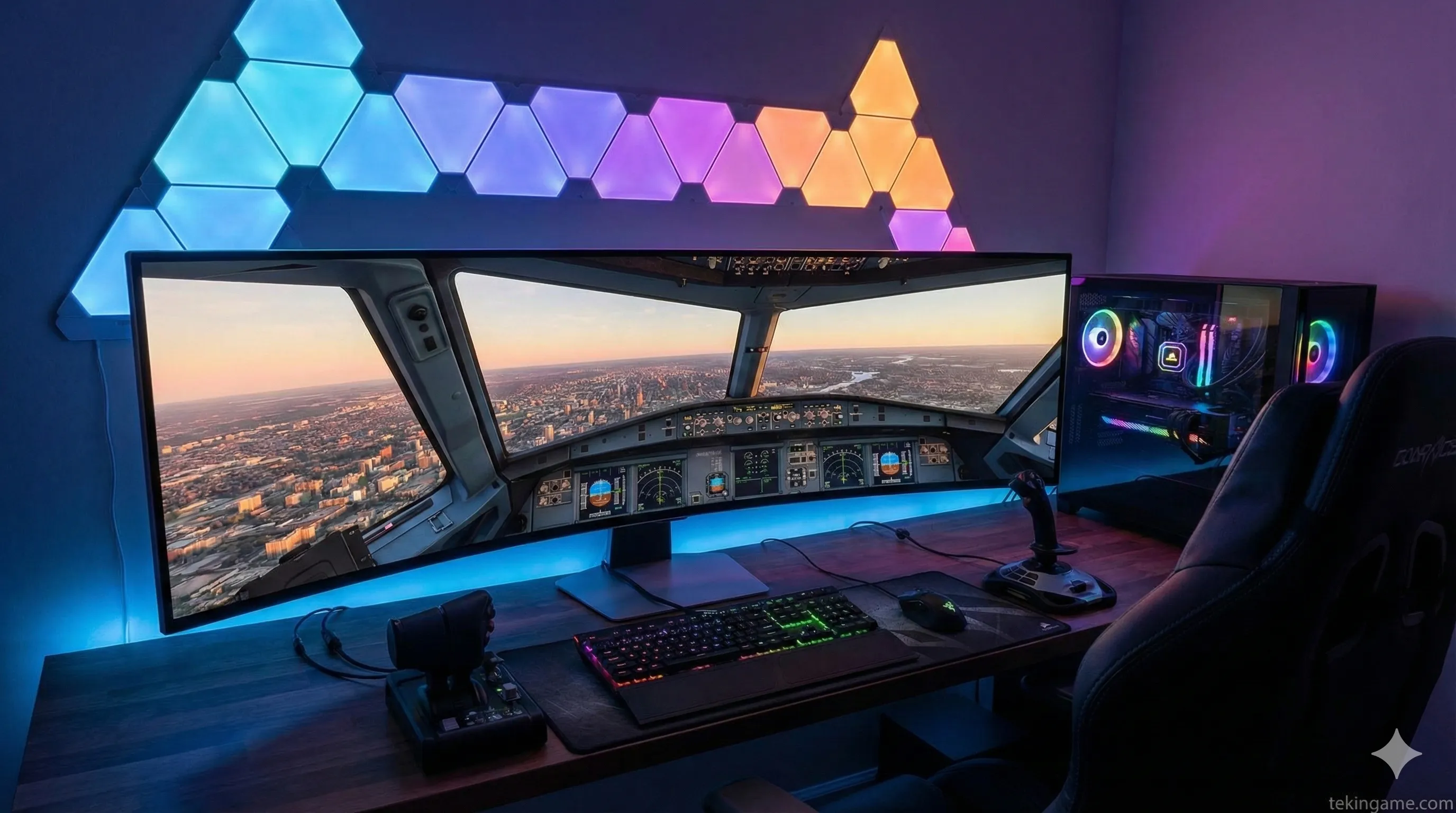
🌌 The Immersion Beast: Samsung Odyssey OLED G9 (G95SD)
- Specs: 49-inch, Dual QHD (32:9), 240Hz, Smart TV Hub.
- Why it wins: This is not a monitor; it's a cockpit. It wraps around your peripheral vision. The 2026 refresh has a matte coating that eliminates glare (great for bright rooms).
- Warning: The PS5 does not support the 32:9 aspect ratio (you will get black bars). Buy this ONLY if you are a PC gamer.
💰 The Value Choice: MSI MPG 271QRX
- Specs: 27-inch, 1440p (2K), 360Hz.
- Why it wins: Not everyone has the budget (or the GPU power) for 4K. 1440p is still the "Sweet Spot" for competitive gaming. With a blistering 360Hz refresh rate, this is the ultimate esports monitor for Call of Duty or Valorant. It uses the same high-end panel tech as the expensive ones, just at a lower resolution.
6. 📝 The Buyer's Checklist
Before you click "Add to Cart," verify these three specs to avoid disappointment:
1. HDMI 2.1 Bandwidth (Full 48Gbps): Critical for PS5 Pro owners. Some older or cheaper OLEDs limit HDMI bandwidth to 24Gbps or 40Gbps, which forces the console to use chroma subsampling (worse colors). Ensure it is "Full Bandwidth."
2. Glossy vs. Matte Coating:
Glossy (Alienware): Makes colors pop and blacks look ink-deep. Acts like a mirror in bright rooms.
Matte (Samsung): Diffuses reflections but can make the screen look slightly "grainy" or reduce perceived contrast. Choose based on your room's lighting.
3. Firmware Update Capability: Ensure the monitor has a USB port that allows user-upgradable firmware. OLED tech evolves fast, and manufacturers often release updates to improve brightness or fix bugs post-launch.
7. Verdict: Sell the IPS, Buy the OLED
Commanders, the verdict is clear. IPS technology served us well, but for entertainment and high-end gaming, its watch has ended. If you are preparing for the visual spectacle of Grand Theft Auto VI, the single biggest upgrade you can make isn't a faster CPU—it is a QD-OLED monitor. The difference isn't subtle; it is transformational.
Treat your eyes to the future. You won't be able to go back.
🛍️ Tekin Recommended Deals
We have tracked down the best stock and prices for the recommended models.
👉 Check Price: Alienware AW3226QF (Official Store)
👉 Check Price: MSI MPG 271QRX (Amazon)
(Buying through these links supports TekinGame's independent journalism.)